 By Veronique Lengelle
Combining values from array and transforming them to a string is something that is extremely useful, especially when you need to send formatted emails with all the values from different SharePoint fields.
In today’s post, we’ll look at multi-select fields, and send them separately and combined 🙂
Scenario
In SharePoint, I’ve got 2 choice fields and they’re both multi-select:
- Software Required
- Hardware Required
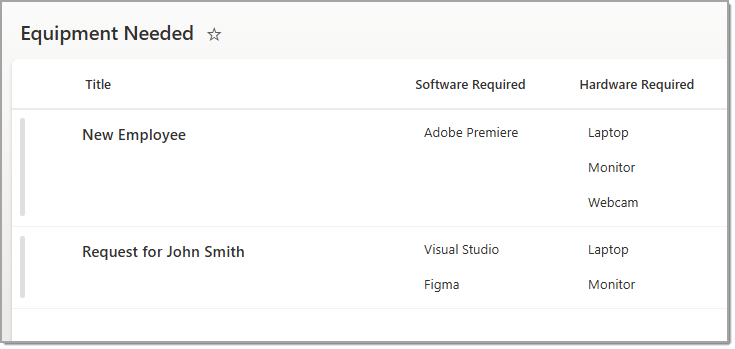
In our case, our flow needs to send those values for each categories (independently), and maybe later in the process, we need to send it all together! So let’s do just that 🚀
Flow
In Power Automate, we first need to get the item (request) created, so our trigger will be “When an item is created“.
Then we’ll initialise 2 variables of type array to store the values of each Software Required and Hardware Required.

Next, let’s add a new request, and look at the trigger outputs.
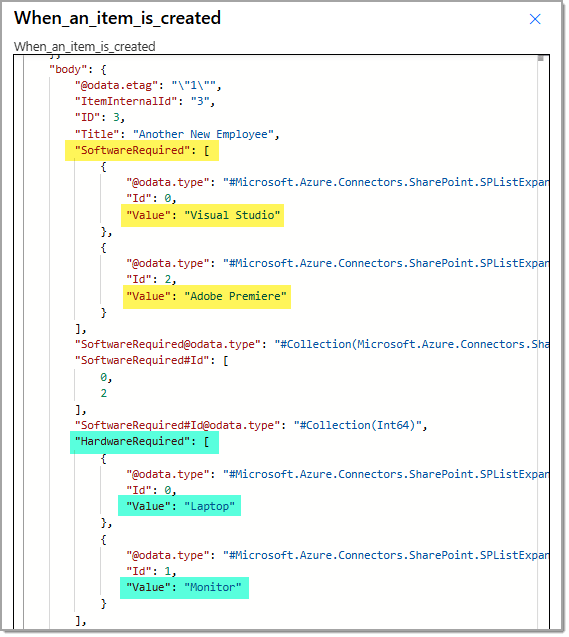
Let’s store each value into the appropriate variable, and transform them into a string (using Compose actions).
TIP: Enter the path in the “Select an output from previous steps” manually instead of choosing from the dynamic content. This way, you’ll avoid nested Apply to each actions 😉

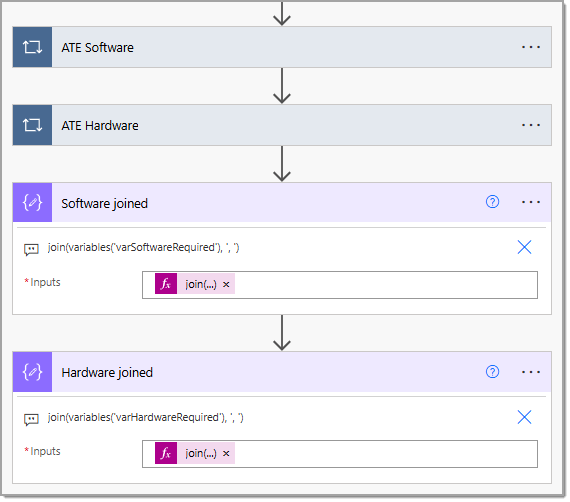
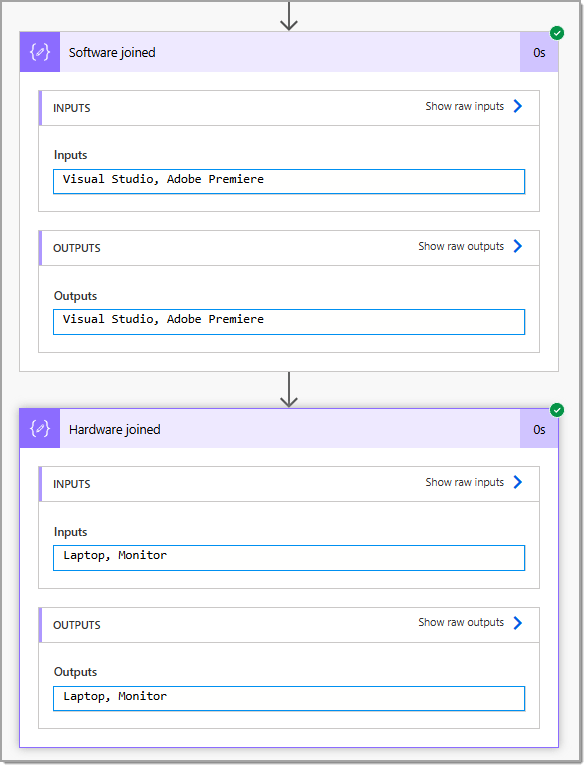
join(variables('varSoftwareRequired'), ', ')join(variables('varHardwareRequired'), ', ')And here’s the output after running the flow 😁
Combine Software AND Hardware
To go the extra mile, we combine both together, and send the results by email.

concat(outputs('Software_joined'), ', ', outputs('Hardware_joined'))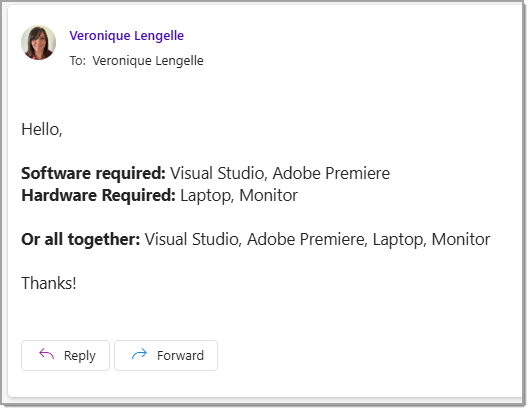
Thanks for reading! 🙂